
IP Address Basics: Key Concepts and Essential Networking Guide
Every time you connect to the internet, your device uses an IP address to communicate with websites, servers, and other devices across the globe. An IP address is a unique numerical label assigned to each device on a network that enables it to send and receive data through the Internet Protocol. Without this identifier, your computer wouldn’t know where to send requests. Having a unique Internet Protocol address is the most fundamental requirement for any online activity. This internet protocol address ensures your data reaches the correct destination online.

Understanding how IP addresses work helps you grasp the fundamentals of network connectivity and internet security. When you check your email, stream a video, or browse a website, your IP address acts as your device’s return address, ensuring that the data you request finds its way back to you. Your internet service provider assigns this address to your device, and it changes depending on your location and network.
This guide covers everything you need to know about ip-address basics, from the difference between IPv4 and IPv6 formats to how public and private addresses function. You’ll learn about static versus dynamic assignment methods, subnetting concepts, and the security considerations that affect your daily internet use.
Key Takeaways
- IP addresses are unique numerical identifiers that allow devices to communicate over networks using the Internet Protocol
- Your IP address changes based on your network connection and can be assigned either statically or dynamically by your internet service provider
- Understanding IP address formats, assignment methods, and security tools helps you protect your online privacy and troubleshoot network issues
Understanding IP Addresses
An IP address serves as a numerical identifier that allows devices to locate and communicate with each other across networks. The address structure divides into network and host components that routers use to direct packets to their intended destinations. These addresses are essential components of the tcp/ip protocol stack.
Purpose of IP Addresses
IP addresses perform two essential functions: network interface identification and location addressing. When you send data across a network, your device needs a way to identify itself and specify where information should go. The IP address accomplishes both tasks simultaneously.
Your IP address tells other devices where to send response packets when you request information. Without this addressing system, routers wouldn’t know how to forward your data through the complex web of networks that make up the internet. Think of it as a digital return address that ensures information finds its way back to you.
The Internet Protocol assigns these addresses to every device that connects to a network. These identifiers are fundamental to the tcp/ip suite, which manages how data is packetized and transmitted. This includes computers, smartphones, printers, and servers. Each network interface requires its own unique IP address within that network to prevent conflicts and ensure reliable communication.
How IP Addresses Enable Communication
When you send data over a network, the information breaks down into smaller units called packets. Each packet contains header information that includes both the source IP address and the destination IP address. Routers examine these addresses to determine the best path for forwarding packets toward their destination.
Your router reads the network portion of the destination IP address to determine whether the packet should stay on your local network or travel to a remote location. If the destination is external, the router forwards the packet to the next hop along the route. This process repeats at each router until the packet reaches the correct network.
Once packets arrive at the destination network, the host portion of the IP address directs them to the specific device. The receiving device then reassembles the packets into the original message. This system works independently of the physical hardware addresses, known as MAC addresses, that operate at a lower network layer.
Structure of an IP Address
An IP address consists of two main components: the network portion and the host portion. The network address identifies which network a device belongs to, while the host identifier specifies the individual device within that network. Understanding the relationship between the Network ID and the Host ID is a core part of ip-address basics. A subnet mask or CIDR notation determines where the division occurs between these two parts.
In IPv4, addresses appear as four decimal numbers separated by dots, such as 192.168.1.100. Each number ranges from 0 to 255 and represents 8 bits of the 32-bit address. The format makes addresses easier for you to read and remember compared to binary notation.
IPv6 addresses use 128 bits and appear as eight groups of hexadecimal digits separated by colons. This expanded format provides substantially more available addresses. Both versions use the same fundamental concept of dividing the address into network and host components, though IPv6 refers to the host portion as the interface identifier.
IP Address Formats: IPv4 and IPv6
IPv4 uses 32-bit addresses written in decimal notation, while IPv6 employs 128-bit addresses in hexadecimal format. The transition from IPv4 to IPv6 addresses the limitation of available address space as connected devices continue to multiply globally.
What Is IPv4?
IPv4 is a 32-bit addressing system that has been the foundation of internet connectivity since the early 1980s. The format consists of four numbers separated by dots, with each number ranging from 0 to 255.
Each of these four sections represents an octet, which is an 8-bit sequence or one byte of data. A typical IPv4 address looks like 192.168.1.1, where each octet contributes to the unique identification of your device on a network.
The total address space available with IPv4 is approximately 4.3 billion unique addresses. This limitation has become problematic as the number of internet-connected devices has grown exponentially. IPv4 requires network address translation (NAT) to function efficiently, which adds an extra layer of complexity to routing and data transmission.
What Is IPv6?
IPv6 utilizes a 128-bit address configuration that combines both numbers and letters in hexadecimal format. Your IPv6 address consists of eight groups separated by colons, such as 2001:0db8:85a3:0000:0000:8a2e:0370:7334.
This expanded format provides approximately 340 undecillion unique addresses, effectively eliminating concerns about address exhaustion. IPv6 addresses support stateless address autoconfiguration (SLAAC), which allows your devices to configure their own IP addresses automatically without requiring a DHCP server.
The protocol includes built-in IPsec security features and eliminates the need for NAT translation. IPv6 also offers improved routing efficiency through simplified packet headers and better support for mobile devices and IoT applications.
Differences Between IPv4 and IPv6
The fundamental distinction between IPv4 and IPv6 lies in their address space capacity and structural design. IPv4’s 32-bit structure limits you to roughly 4.3 billion addresses, while IPv6’s 128-bit structure provides an essentially unlimited pool.
Address Format
IPv4 uses decimal notation with four octets (e.g., 192.168.1.1), while IPv6 employs alphanumeric hexadecimal notation with eight groups (e.g., 2001:0db8:85a3::8a2e:0370:7334). Each IPv4 octet represents one byte, totaling four bytes per address.
Key Technical Differences
| Feature | IPv4 | IPv6 |
|---|---|---|
| Address Length | 32 bits | 128 bits |
| Format | Decimal (four octets) | Hexadecimal (eight groups) |
| Total Addresses | ~4.3 billion | ~340 undecillion |
| Header Size | 20-60 bytes (variable) | 40 bytes (fixed) |
| Configuration | Manual or DHCP | Automatic (SLAAC) |
| NAT Required | Yes | No |
Your IPv4 addresses rely on NAT for translation and private network functionality, adding processing overhead. IPv6 eliminates this requirement, allowing direct end-to-end connectivity at the IP layer. The fixed 40-byte header in IPv6 simplifies processing compared to IPv4’s variable header structure.
Public and Private IP Addresses
IP addresses serve two main functions: network interface identification and location addressing. Every device needs an address to communicate, but not all addresses work the same way—public IP addresses are globally unique and internet-accessible, while private IP addresses operate within local networks behind routers.
Public IP Addresses Explained
A public IP address is the unique identifier that your ISP assigns to your network connection. This address allows your devices to communicate with servers and other networks across the internet. It serves as your primary link to the global WAN and other external resources. When you visit a website, that server sees your public IP, not the individual addresses of devices in your home.
Public IP addresses are globally unique, meaning no two locations on the internet can share the same one simultaneously. Your ISP manages a pool of these addresses and typically assigns one to your router dynamically, though businesses often pay for static public IPs that never change. This consistency is essential for hosting services like websites or email servers that need a permanent address.
Most residential users share public IP addresses over time as ISPs reassign them. Your router’s public IP might change after a reboot or service update, but this rarely affects your internet usage since most services track your connection through other means.
Private IP Address Ranges
Private IP addresses exist solely within your local network and cannot be accessed directly from the internet. The Internet Assigned Numbers Authority (IANA) has designated three specific ranges exclusively for private use: 10.0.0.0 to 10.255.255.255, 172.16.0.0 to 172.31.255.255, and 192.168.0.0 to 192.168.255.255.
Your router assigns these addresses to every device that connects to your network—your laptop, phone, smart TV, and printer each receive their own private IP. The most common range you’ll encounter is 192.168.x.x, which most home routers use by default. Thousands of homes in your neighborhood likely use identical private IP addresses, and this causes no conflict because these addresses only matter within each separate network.
Private IP addresses help conserve the limited IPv4 address space. Instead of requiring billions of unique public addresses for every internet-connected device worldwide, millions of networks can reuse the same private ranges internally.
NAT and Network Address Translation
Network Address Translation (NAT) is the process that allows multiple devices with private IP addresses to share a single public IP address. Your router performs this translation automatically, acting as an intermediary between your local network and the internet.
When your laptop sends a request to a website, the router replaces your device’s private IP with its public IP before forwarding the data. The router maintains a translation table tracking which internal device initiated each connection. When the website responds, the router receives the data at its public IP and uses its table to forward the information to the correct device on your private network.
NAT provides an additional security layer since external networks cannot directly access devices behind it. They only see your router’s public IP. Tools like VPN services and proxy servers also use similar address translation concepts to mask your actual location and route traffic through intermediate servers.
Assignment Methods: Static and Dynamic IPs
IP addresses can be assigned to devices through two primary methods: manually configured static addresses that remain constant, or automatically assigned dynamic addresses that change over time through DHCP servers.
Static IP Address Overview
A static IP address is a fixed, unchanging address that you manually assign to a device on your network. Once configured, this address remains the same even when the device restarts or disconnects from the network.
You need to manually enter the IP address, subnet mask, default gateway, and DNS server information into each device’s network settings. This configuration stays in place until you deliberately change it.
Static addresses work well for servers, printers, network equipment, and devices that require port forwarding. These devices benefit from having consistent, predictable addresses that other systems can reliably reference.
The main drawback is the administrative overhead. You must track all assigned addresses carefully to prevent conflicts where two devices accidentally receive the same IP. In large networks with hundreds of devices, static IP assignment becomes time-consuming and difficult to manage.
Dynamic IP Address Overview
A dynamic IP address changes over time and is automatically assigned to your device when it connects to the network. Your device receives a different address from an available pool each time it joins the network or when its current address lease expires.
This method eliminates manual configuration work. When your device connects, it automatically receives all necessary network settings without you needing to enter anything.
Dynamic addressing efficiently uses available IP addresses by recycling them. When a device disconnects, its address returns to the pool for other devices to use. This prevents address waste in networks where devices frequently come and go.
The addresses have lease times, typically ranging from hours to days. Before the lease expires, your device requests a renewal. If renewal fails or the device reconnects after an extended absence, it receives a new address from the pool.
Role of DHCP
Dynamic Host Configuration Protocol (DHCP) is the protocol that enables dynamic IP addressing on your network. A DHCP server maintains a pool of available IP addresses and distributes them to requesting devices.
When your device connects to the network, it broadcasts a DHCP discovery message. The DHCP server responds with an offer containing an available IP address and other network parameters. Your device then requests that specific address, and the server confirms the assignment.
The DHCP server tracks which addresses are assigned to which devices and manages lease times. It ensures no two devices receive the same address simultaneously through conflict detection mechanisms.
If no DHCP server responds to your device’s request, Windows systems use Automatic Private IP Addressing (APIPA). This Automatic Private IP Addressing method provides a temporary solution for internal connectivity. This fallback mechanism assigns your device a self-configured address in the 169.254.x.x range, allowing limited local network communication until a DHCP server becomes available.
Subnetting and Address Classes
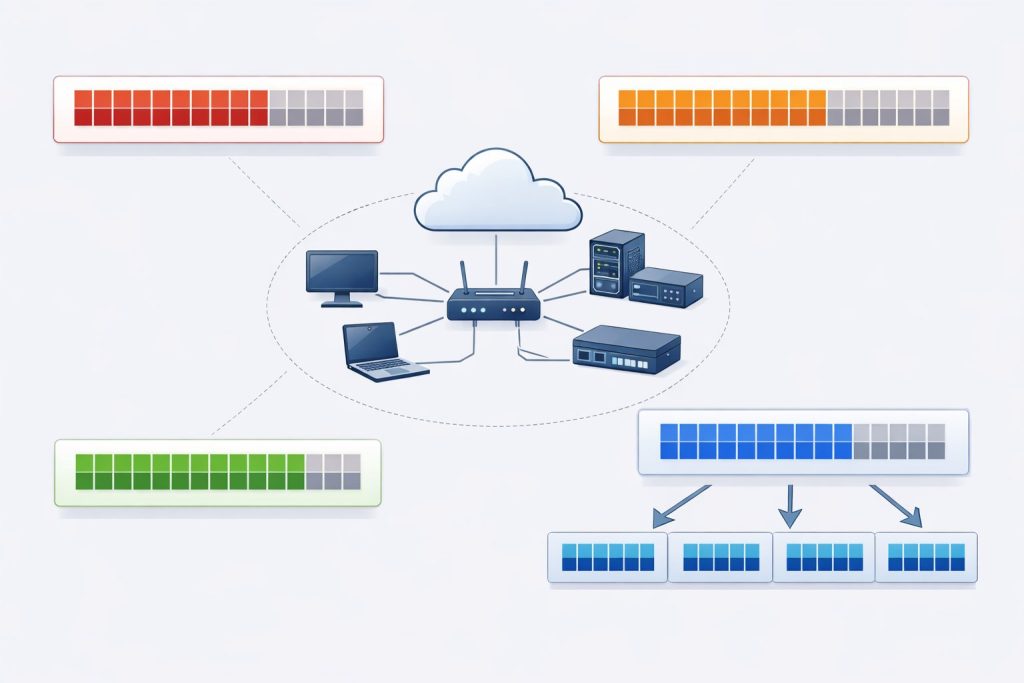
Subnetting divides large networks into smaller, more manageable segments using subnet masks and CIDR notation. The original classful addressing system organized IP addresses into five distinct classes, each with predetermined network and host portions.
What Is a Subnet?
A subnet (or subnetwork) is a logical subdivision of a larger IP network. When you implement subnetting, you’re essentially taking one network and breaking it into multiple smaller networks to improve routing efficiency and security.
Subnetting makes network routing more efficient by providing shorter paths for network traffic. Instead of forcing data to pass through unnecessary routers, subnets allow routers to determine which subnetwork a device belongs to and route packets accordingly.
The process works by borrowing bits from the host portion of an IP address to create additional network identifiers. This creates multiple subnetworks from a single network block, each with its own range of usable host addresses.
Subnet Masks and CIDR Notation
A subnet mask is a 32-bit number that divides an IP address into two parts: the network ID and the host ID. The subnet mask uses consecutive 1s to identify the network portion and 0s for the host portion.
CIDR (Classless Inter-Domain Routing) replaced the older classful addressing system in 1993. CIDR notation expresses subnet masks as a slash followed by the number of network bits, such as /24 or /16.
For example, 255.255.255.0 equals /24 because it contains 24 consecutive 1s in binary. A /30 subnet mask (255.255.255.252) provides 4 IP addresses with 2 usable host addresses, while /24 provides 256 addresses with 254 usable hosts.
Common subnet masks include:
- /8 (255.0.0.0) – 16,777,214 usable hosts
- /16 (255.255.0.0) – 65,534 usable hosts
- /24 (255.255.255.0) – 254 usable hosts
- /30 (255.255.255.252) – 2 usable hosts
IP Address Classes Overview
The classful addressing system divided IPv4 networks into five classes based on the first octet of the IP address. Each class allocated different portions for network and host identification.
Class A addresses range from 1.0.0.0 to 126.0.0.0 with a default mask of 255.0.0.0 (/8). The first 8 bits define the network, leaving 24 bits for hosts—supporting up to 16,777,214 hosts per network.
Class B spans 128.0.0.0 to 191.255.0.0 using 255.255.0.0 (/16) as the default mask. With 16 network bits and 16 host bits, Class B networks accommodate 65,534 hosts each.
Class C addresses run from 192.0.0.0 to 223.255.255.0 with a 255.255.255.0 (/24) mask. These networks use 24 bits for the network portion, leaving only 8 bits for hosts—limiting each network to 254 devices.
Class D (224.0.0.0 to 239.255.255.255) is reserved for multicast groups, while Class E (240.0.0.0 to 255.255.255.255) remains reserved for experimental purposes. Neither class is used for standard host addressing.
Communication Types and Special Addresses
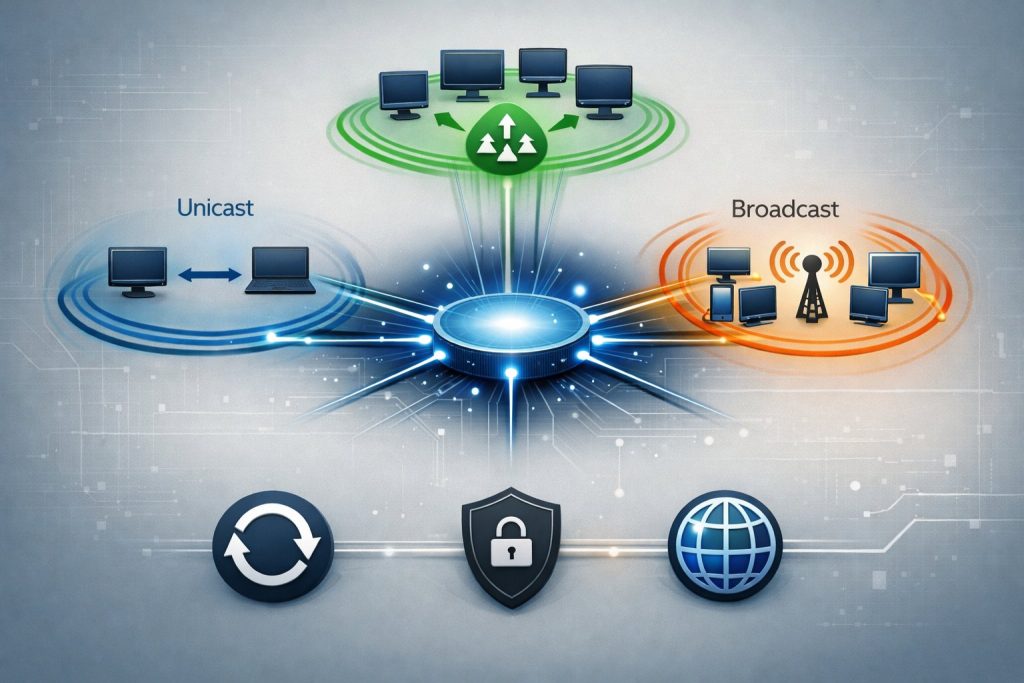
IP addresses support different communication methods depending on how data needs to reach its destination. Unicast addressing identifies unique nodes for one-to-one transmission, while broadcast and multicast enable one-to-many communication across networks.
Unicast, Broadcast, and Multicast
Unicast represents the most common form of IP communication where data travels from one source to a single destination. When you send data using unicast, your device transmits packets to one specific destination IP address on the network. This method works for both sending and receiving data across IPv4 and IPv6 networks.
Broadcast addressing transmits data to all devices on a LAN simultaneously. The broadcast address 255.255.255.255 sends packets to every host on your local network without naming individual recipients. A dedicated broadcast address is essential for services like discovery and address resolution. Each device can open these packets and decide whether to process or discard them. This communication type only functions in IPv4 networks.
Multicasting is a networking method where data is sent from a single source to multiple destinations simultaneously. A multicast address identifies a logical group of receiver stations in a network. Multicast IP addresses range from 224.0.0.0 to 239.255.255.255 and define these groups. Multicast routing protocols efficiently deliver network traffic to selected devices rather than all hosts on the network. Anycast addressing delivers packets to the closest interface with the designated anycast address rather than all receivers.
Reserved and Special IP Addresses
Certain IP address ranges serve specialized functions and cannot be assigned to regular network devices. The loopback address 127.0.0.1 enables your device to send packets to itself for testing network applications without transmitting data across physical network connections.
Private IP address ranges include 10.0.0.0 to 10.255.255.255, 172.16.0.0 to 172.31.255.255, and 192.168.0.0 to 192.168.255.255. These addresses function within your local network but cannot route directly across the internet. Your router uses Network Address Translation to convert private addresses to public ones for internet communication.
The network address identifies the network itself rather than individual hosts. For example, in 192.168.1.0/24, the address 192.168.1.0 represents the entire network. Link-local addresses in the 169.254.0.0/16 range allow devices to communicate on a LAN when no DHCP server assigns addresses.
Addressing and Routing in Networks
The network portion of your IP address determines how routers direct traffic between different networks. Routers examine the destination IP to determine whether packets stay within your LAN or need forwarding to a WAN. Subnet masks separate the network portion from the host portion of addresses.
When you send data across networks, routers use routing tables to find the best path to the destination. Each router reads the network address and forwards packets toward the correct network. This process continues until packets reach the final destination network.
Your device uses the network portion to identify whether the destination IP belongs to your local network or requires routing through a gateway. Traffic destined for addresses within your subnet travels directly to recipients. Packets bound for external networks route through your default gateway to reach wide area network destinations.
Essential Tools and Security Considerations

Network administrators and everyday users alike need reliable tools to diagnose connectivity issues and monitor their networks, while understanding that IP addresses present specific security vulnerabilities that require proactive protection measures. Your IP address can be exploited for DDoS attacks, location tracking, and unauthorized network access if proper safeguards aren’t in place.
Common IP Address Tools
Ipconfig is the essential command-line utility for Windows users to view your current IP configuration. When you type ipconfig in Command Prompt, it displays your device’s IP address, subnet mask, and default gateway. The extended version ipconfig /all reveals additional details including your MAC address, DNS servers, and DHCP lease information.
Ping is a diagnostic tool that tests connectivity between your device and another IP address or domain. You send a small data packet to the target and measure how long it takes to return. If you type ping 8.8.8.8, you’ll see response times in milliseconds and whether any packets were lost during transmission.
Other useful utilities include traceroute (tracert on Windows), which maps the path your data takes across multiple routers to reach its destination. You can also use nslookup to find the hostname assigned to a specific device on the network. Your MAC address serves as a unique hardware identifier for your network interface card, operating at a different layer than your IP address but equally important for network communication.
IP Addresses and Network Security
Your IP address functions as a digital identifier that reveals your approximate geographic location and acts as a gateway that requires protection. When exposed, it allows potential attackers to target your specific device or network with malicious traffic.
Network security fundamentals require you to understand how your public IP address differs from your private network addresses. Your router’s NAT functionality shields your internal devices by hiding their private IP addresses behind a single public IP. This creates a natural barrier that prevents direct external access to your host address.
Firewalls add another protective layer by filtering incoming and outgoing traffic based on predetermined security rules. You should configure your firewall to block suspicious connection attempts and restrict which ports remain open. VPN services encrypt your traffic and mask your real IP address by routing your connection through remote servers, making it significantly harder for third parties to track your online activities or determine your actual location.
Threats and Protection Measures
DDoS attacks overwhelm your network by flooding your IP address with massive volumes of traffic from multiple sources simultaneously. These attacks can render your services inaccessible for hours or days, causing significant disruption to business operations.
IP spoofing occurs when attackers falsify their source IP address to impersonate another device or evade detection. This technique enables them to bypass access controls or launch attacks that appear to originate from legitimate sources.
You should implement best practices for IP address security including regular security audits, intrusion detection systems, and IP address management protocols. Change default router credentials immediately, disable unnecessary services, and keep your network equipment firmware updated. Consider using a VPN for sensitive activities, enable network encryption (WPA3 for wireless), and monitor your network logs for unusual patterns. Rate limiting can prevent your network from being used in amplification attacks, while maintaining an updated blacklist of known malicious IP addresses adds another defense layer.
Frequently Asked Questions
IP addressing involves specific technical components like address classes, subnet masks, and the distinction between public and private addresses that determine how devices communicate on networks.
What determines the classes of an IP address?
IP address classes are determined by the first octet of the address. Class A addresses range from 1 to 126 in the first octet and support large networks with millions of hosts. Class B addresses span from 128 to 191 in the first octet and accommodate medium-sized networks.
Class C addresses range from 192 to 223 in the first octet and are designed for smaller networks with up to 254 hosts. Class D addresses (224-239) are reserved for multicast groups, while Class E addresses (240-255) are experimental and not used for standard networking.
How do IP addresses function within a WiFi network?
Your router receives a public IP address from your Internet Service Provider and assigns private IP addresses to devices connected to your WiFi network. When you connect a device to WiFi, the router’s DHCP server automatically assigns it a unique private IP address from a predetermined range.
These private addresses allow your devices to communicate with each other on the local network and access the internet through the router’s public IP address. The router uses Network Address Translation (NAT) to manage traffic between your private network and the public internet.
What is the significance of the subnet mask 255.255.255.0?
The subnet mask 255.255.255.0 is the most common mask for small networks and defines which portion of an IP address represents the network versus the host. This mask indicates that the first three octets identify the network, while the last octet identifies individual devices.
With this subnet mask, you can have up to 254 usable host addresses on a single network segment. The mask essentially tells your device which IP addresses are local and which require routing to external networks.
Can you explain the structure and segments of an IPv4 address?
An IPv4 address consists of four numerical segments called octets, separated by periods. Each octet can range from 0 to 255, representing 8 bits of binary data.
The address is divided into two main parts: the network portion and the host portion. The network portion identifies the specific network, while the host portion identifies the individual device on that network. For example, in the address 192.168.1.100, the exact division between network and host portions depends on the subnet mask being used.
How are IP address ranges defined for different network types?
Private networks use three reserved IP address ranges that are not routable on the public internet. The 10.0.0.0 to 10.255.255.255 range provides addresses for large private networks, while 172.16.0.0 to 172.31.255.255 serves medium-sized networks.
The 192.168.0.0 to 192.168.255.255 range is commonly used in home and small office networks. Public IP addresses encompass all remaining IPv4 addresses and are assigned by Internet Service Providers to ensure global uniqueness.
What are the differences between public and private IP addresses?
Public IP addresses are unique identifiers assigned by your ISP that allow your network to communicate with the broader internet. Your public IP address is visible to websites and services you access online. Private IP addresses are used within your local network and are not directly accessible from the internet.
Multiple devices can use the same private IP addresses across different networks without conflict because these addresses only need to be unique within their own network. Your router translates between private addresses on your local network and your single public IP address when communicating with the internet.